

 한국어
 English
 Français
 日本語
DRT Q
A compact reconnaissance drone anyone can fly, with video nobody else can watch
From flight control to the goggle display, everything is completed in-house on safe open source.Only the one paired receiver sees the video.
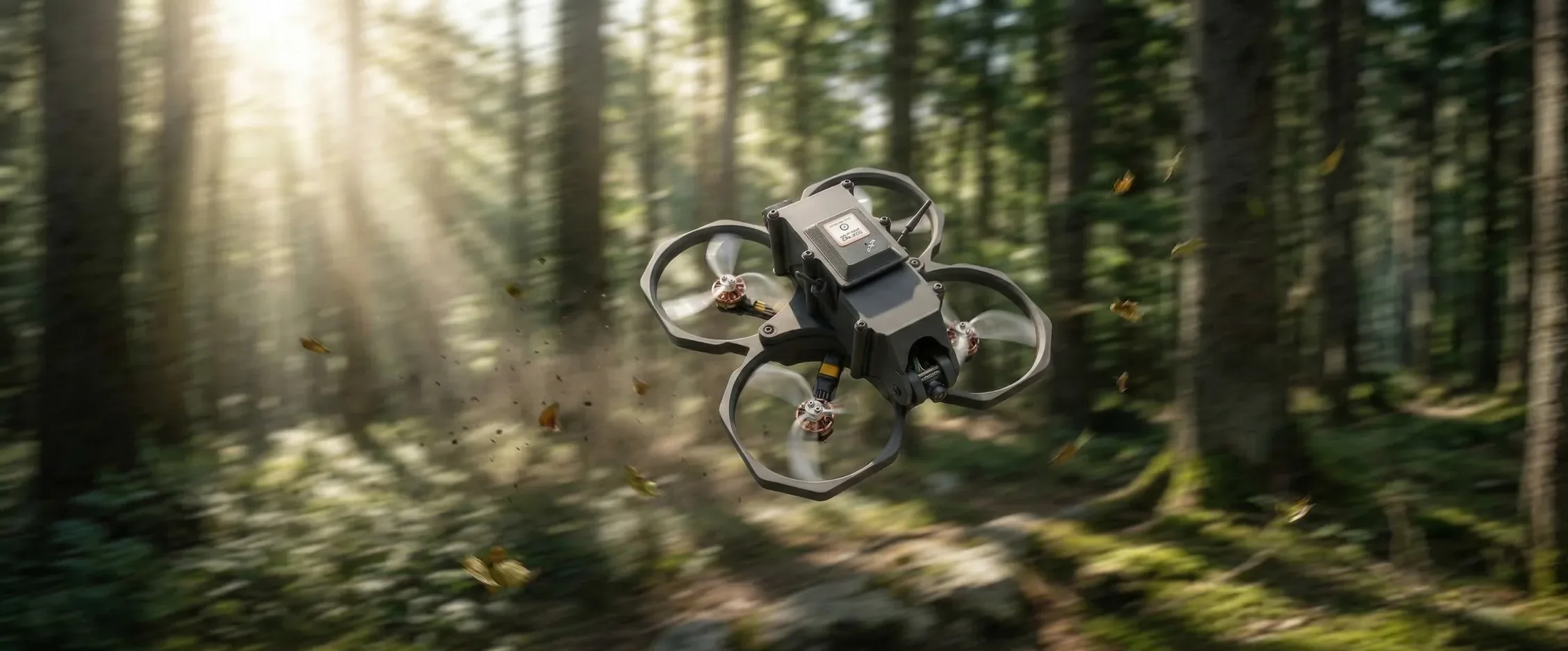
- 298gAircraft weight
- 20minMax flight time
- 100km/hMax flight speed
- 2kmMax flight distance
Small, easy, and the video stays yours.
A palm-sized reconnaissance drone.Release the sticks and it stops in place, even indoors, and only the one paired receiver decodes its video.
1:1 encrypted video link
Only the one paired receiver decodes the video.
On safe open source
Everything above the verified open source is our own.
Position hold indoors and outdoors
Release the sticks and it stops, even indoors without GPS.
A goggle display rendered by the receiver
Full sentences, status colors and dialogs.
AR goggle FPV
See your surroundings and the flight view, glasses on.
DRTView
Map, flight logs and settings in our own ground control app.
Who is watching that video?
With ordinary low-cost drones you cannot look inside the firmware, you cannot tell where flight logs go, and anyone with the same goggles receives the video. DRT Q removes these by design.
Firmware
Code only the manufacturer knows. No way to look inside.
Open source verified worldwide, built in-house.
Flight data
May go to the manufacturer's servers through the app and an account.
No server, no account. Logs stay with the pilot.
Video
Anyone with the same goggles receives it.
Only the one paired receiver decodes it.
Encryption key
Cannot be changed, or is held by the manufacturer.
New keys in the field, factory key restore.
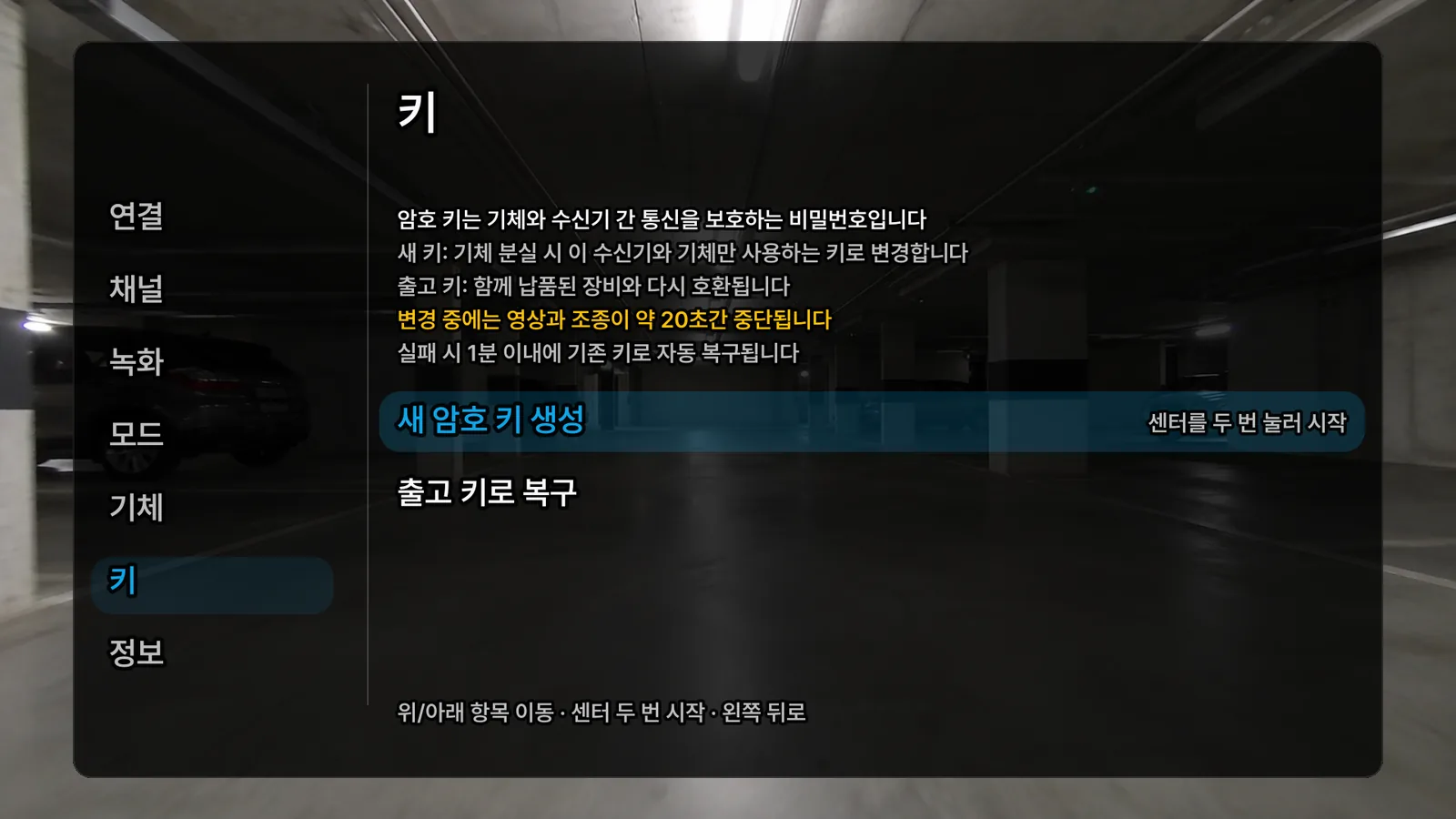
One paired key
Only a key known to the aircraft and the receiver decodes the video.
Encryption + tamper check
Altered data is discarded. Nothing can be inserted in between.
New keys in the field
Lost or replaced aircraft? Generate a new key from the goggle menu.
On safe open source,
completed in-house.
Open source is the foundation. The PX4 flight controller and the OpenIPC camera and video link are verified worldwide, leaving no room for a backdoor, and on top of them we built the technology each mission needs.
Aircraft Developed in-house
- Position hold indoors and outOptical flow fused with GNSS
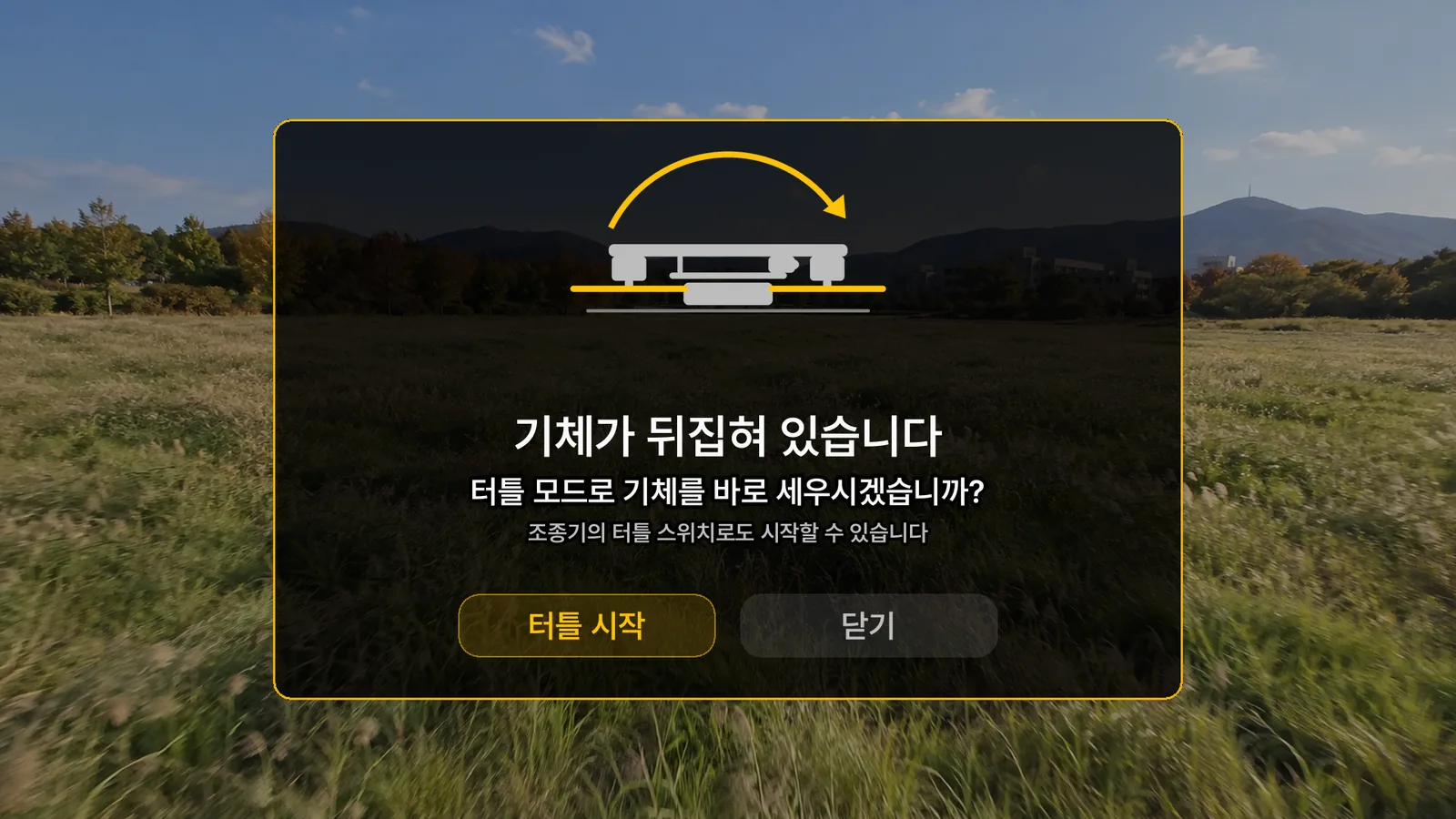
- Turtle modeRight a flipped aircraft from the transmitter
- Military grid coordinatesMGRS computed on board and transmitted
- Pre-arm checks and warningsItem-by-item reasons sent to the receiver
FoundationPX4 flight control · OpenIPC camera
Video link Developed in-house
- 1:1 key pairingField key generation · factory key restore
- Channel and power propagationChange on the receiver, the aircraft follows
- Adaptive linkQuality and power adjust with distance
- Recording locationReceiver SD · camera SD
FoundationProven cryptography library
Receiver · goggles Developed in-house
- Goggle displayFlight data drawn over the video
- Settings menuChannel · recording · mode · key · info
- Guidance dialogsTurtle mode · stick position match
- DRTViewMap · flight logs · aircraft settings
A goggle display designed around the aircraft.
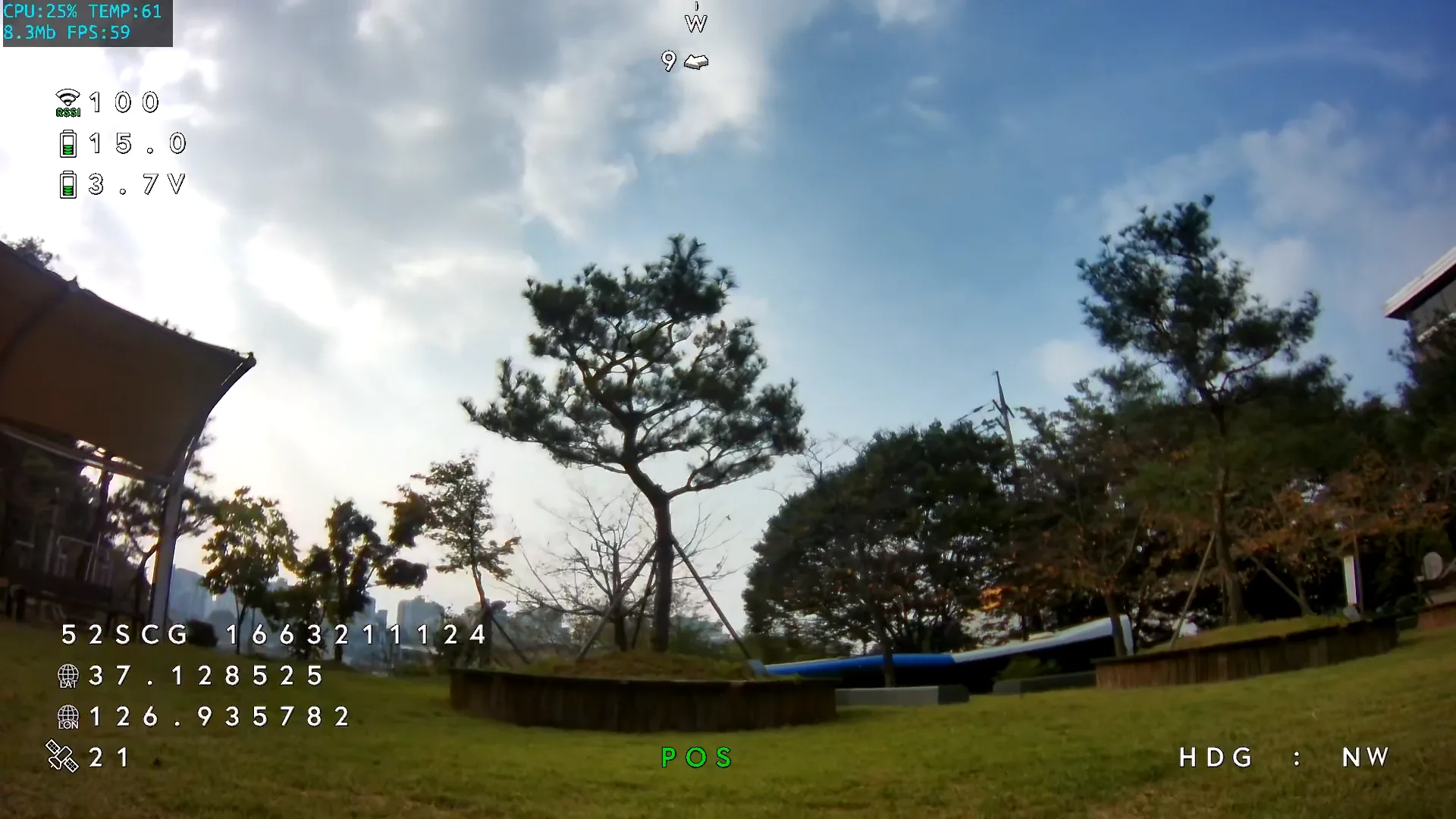
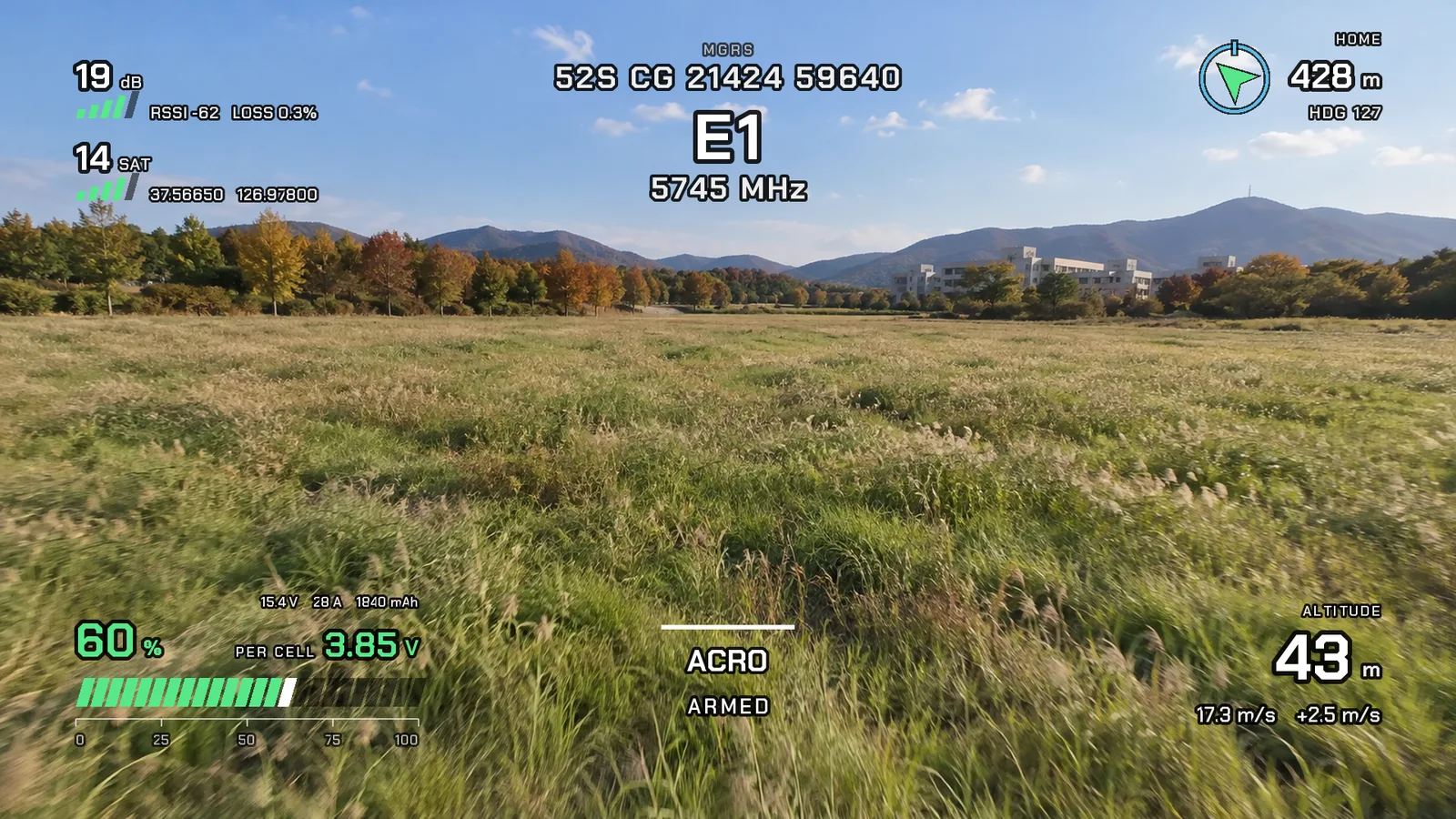
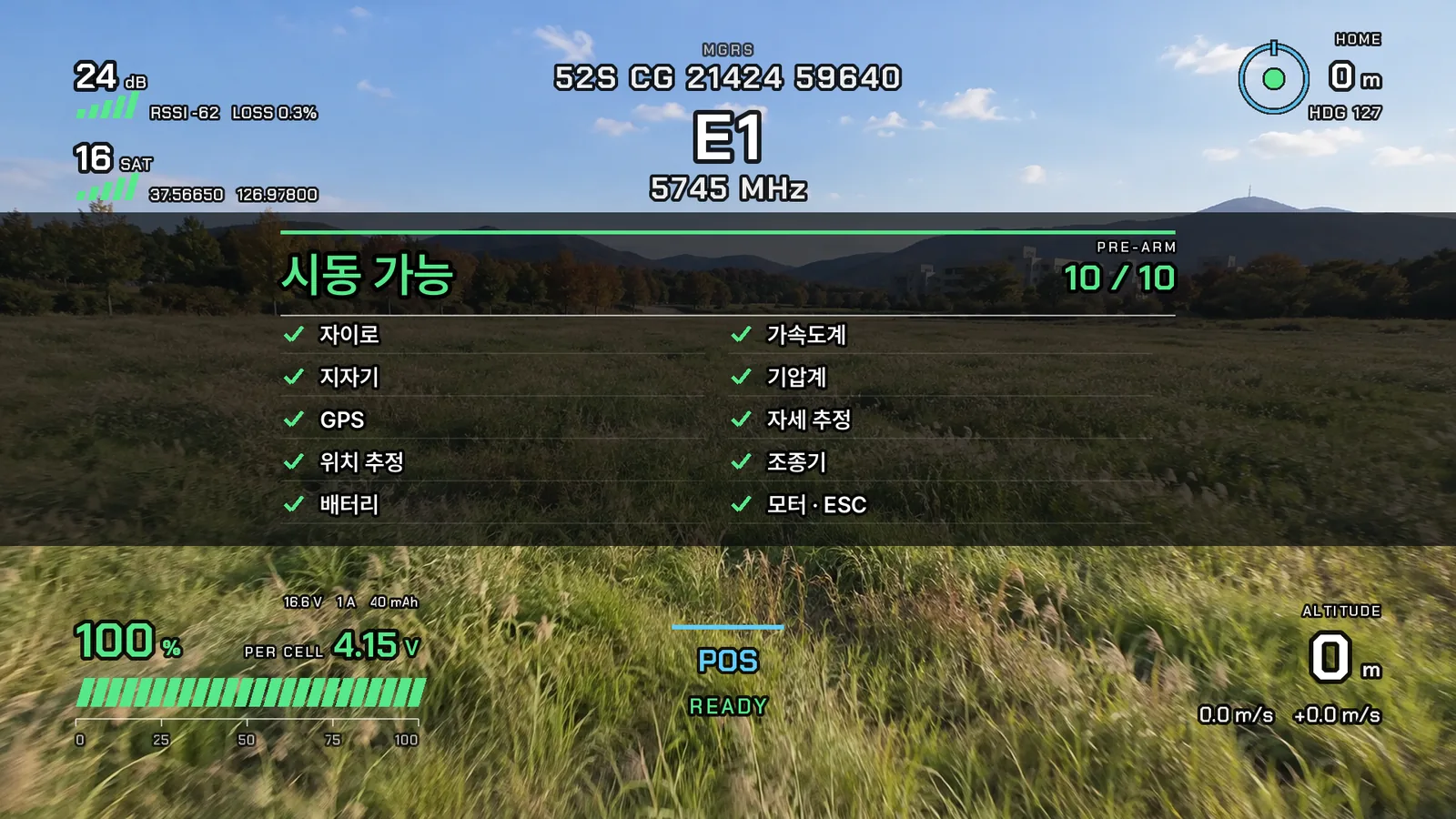
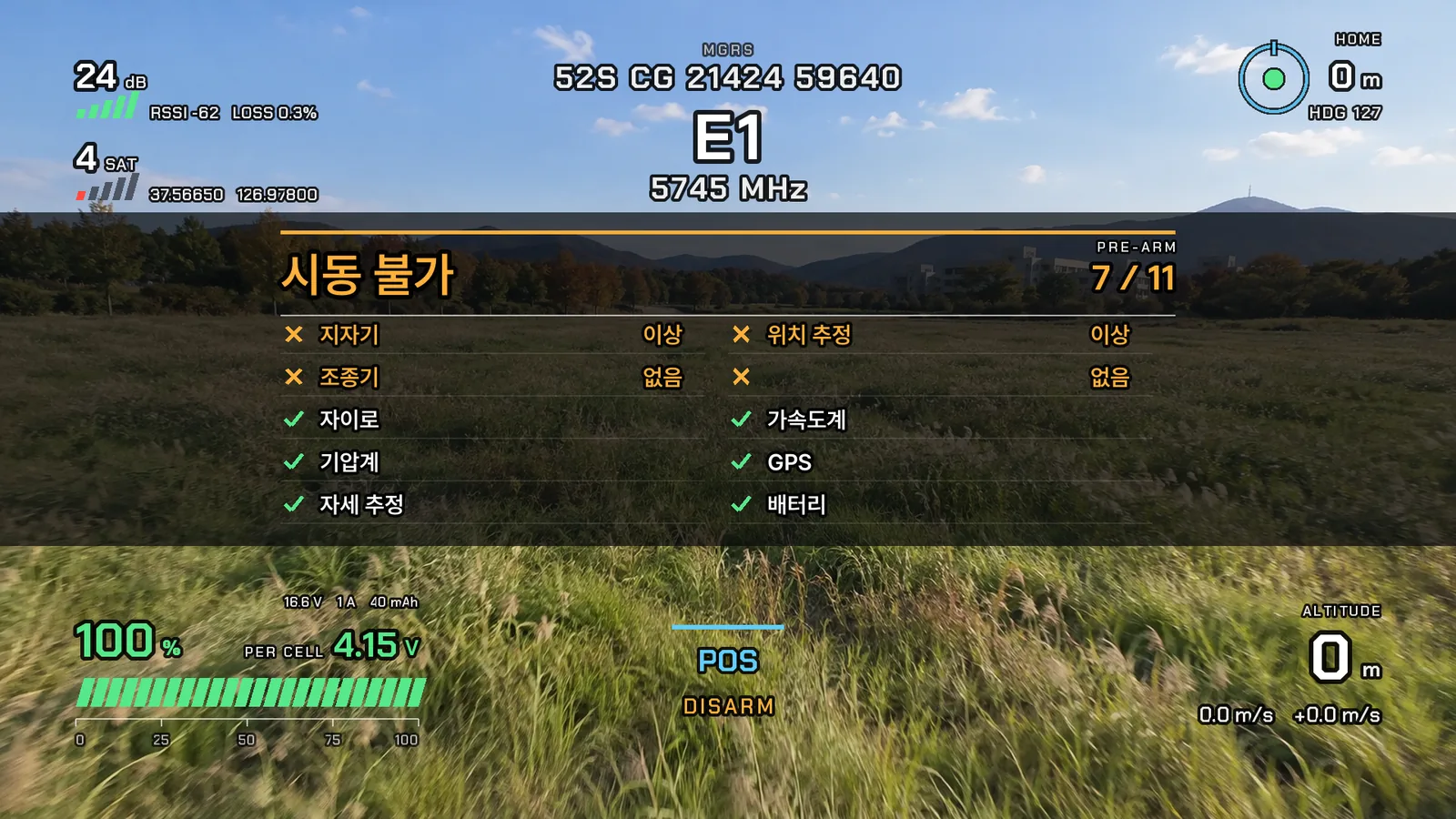
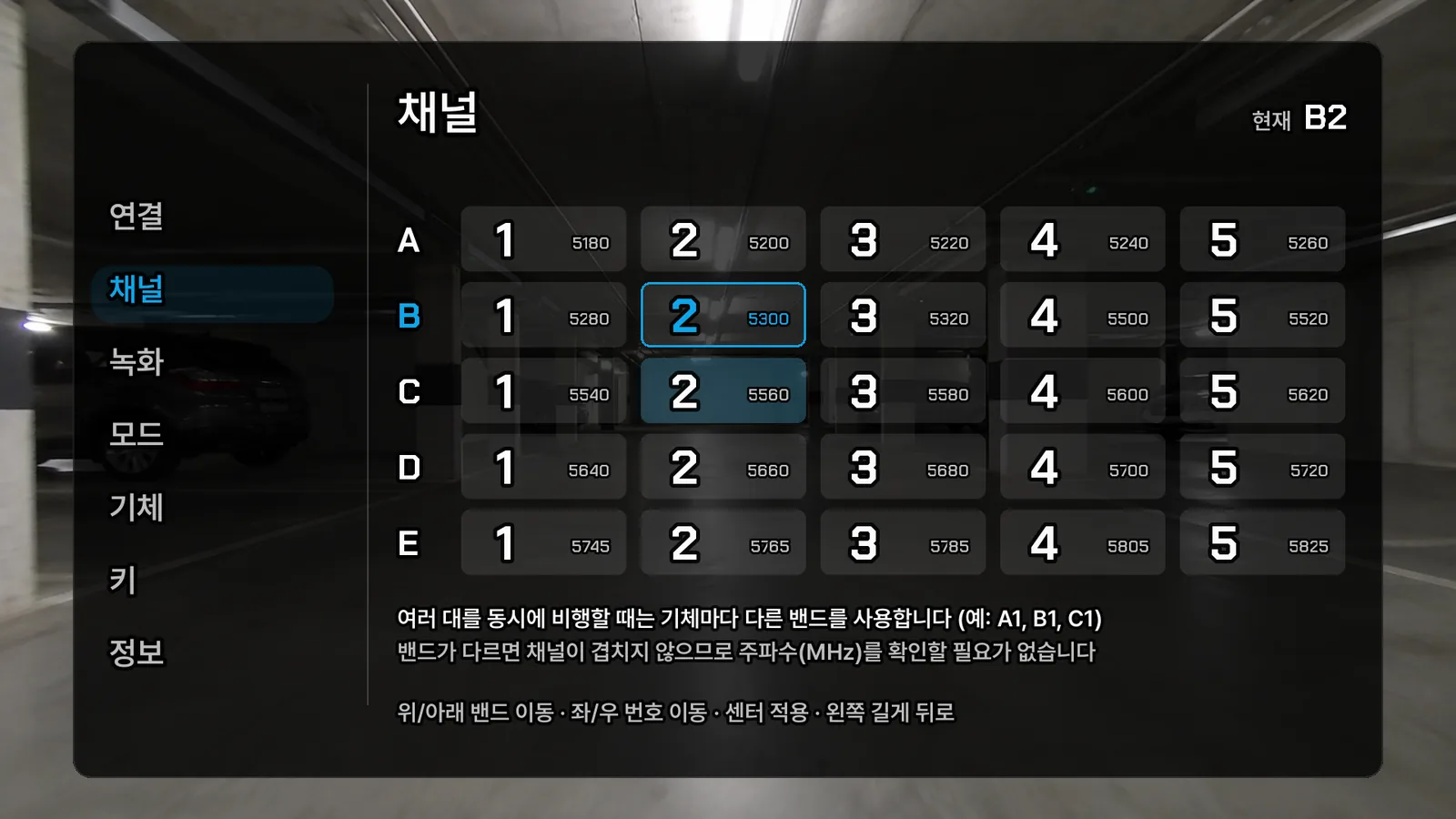
DRT Q’s goggle display is an in-house OSD designed around the mission and the way you fly. Each piece of information has its own place, color and motion, so even in fast flight what matters now catches your eye first. That sets it apart from ordinary OSDs that line up characters, and setup is finished inside the goggles.
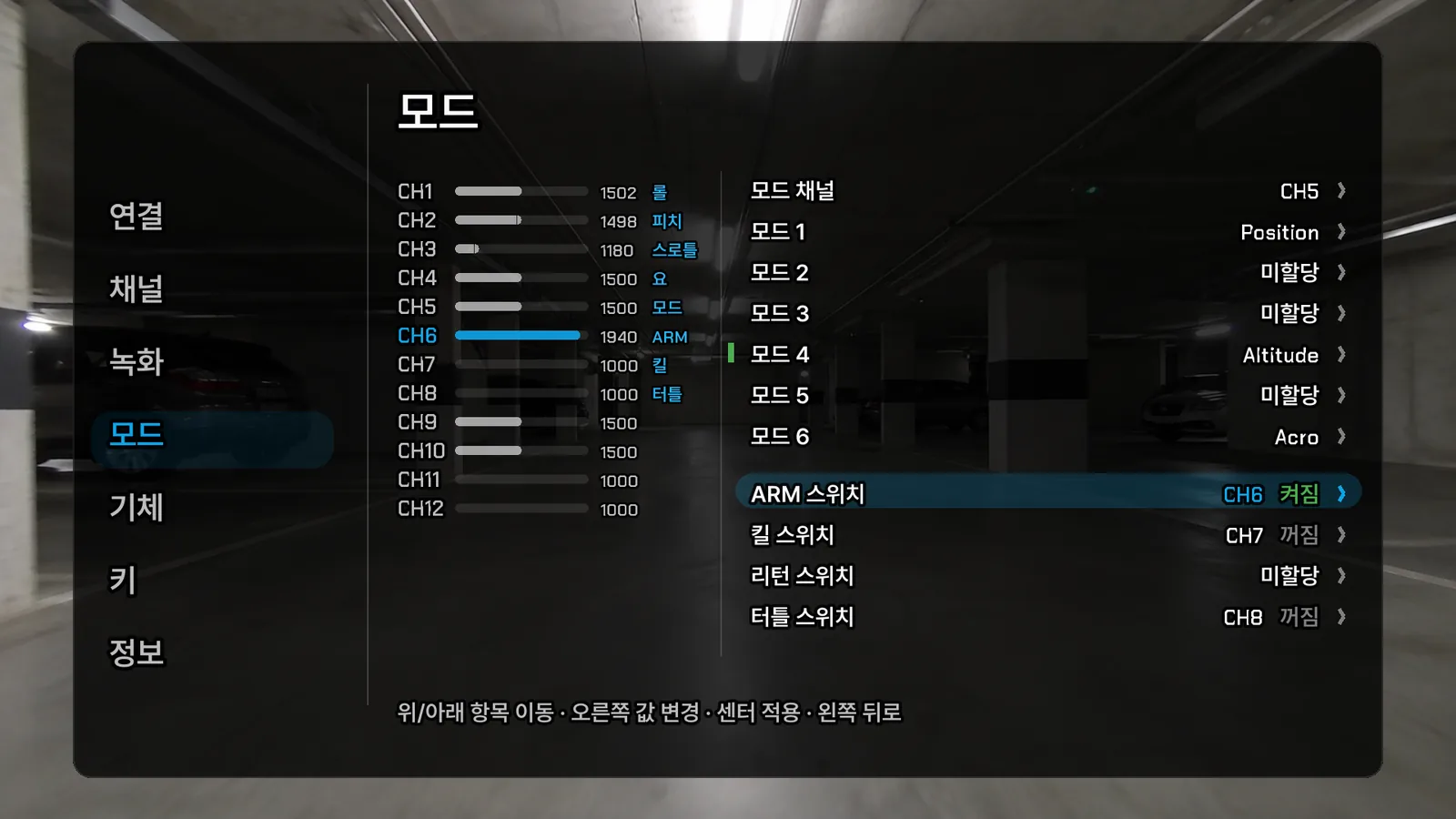
Read it as a sentence
Arming refusals and warnings appear as full sentences, not number codes.
See it by color first
Battery, link and satellite numbers turn normal, caution or critical.
Finish with the transmitter alone
Channel, power, recording, modes and the key in the goggle menu. Military grid always on.
See the flight view
without taking the glasses off.
Worn like glasses, they show the flight view and your surroundings together. Flight data drawn by the receiver is overlaid on 1080p 90fps video.
- Goggles you can see throughGlasses type, watch your surroundings while flying
- 1080p 90fps · 720p 120fpsLow-latency digital video
- Dual band5.8 GHz · 2.4 GHz
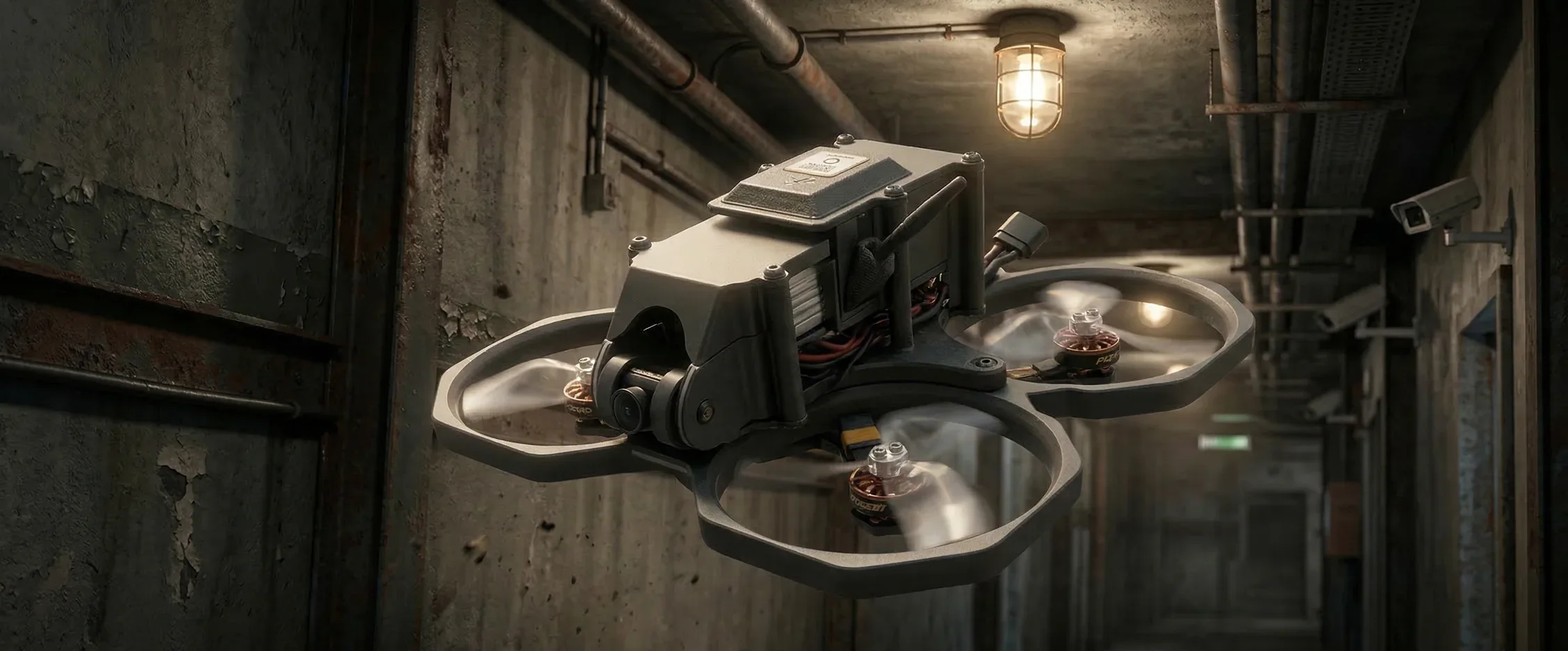
Even indoors, release the sticks and it stays.
Optical flow + GNSS
Hovers in place even indoors without GPS.
Anyone can fly it
Release the sticks and it stops. First-time operators fly on day one.
Propeller guards
Safe in narrow corridors and close to people. If it flips, turtle mode.
Map, flight logs and settings in DRTView.
Our own ground control app.It works without the internet and supports Korean, English and Japanese.
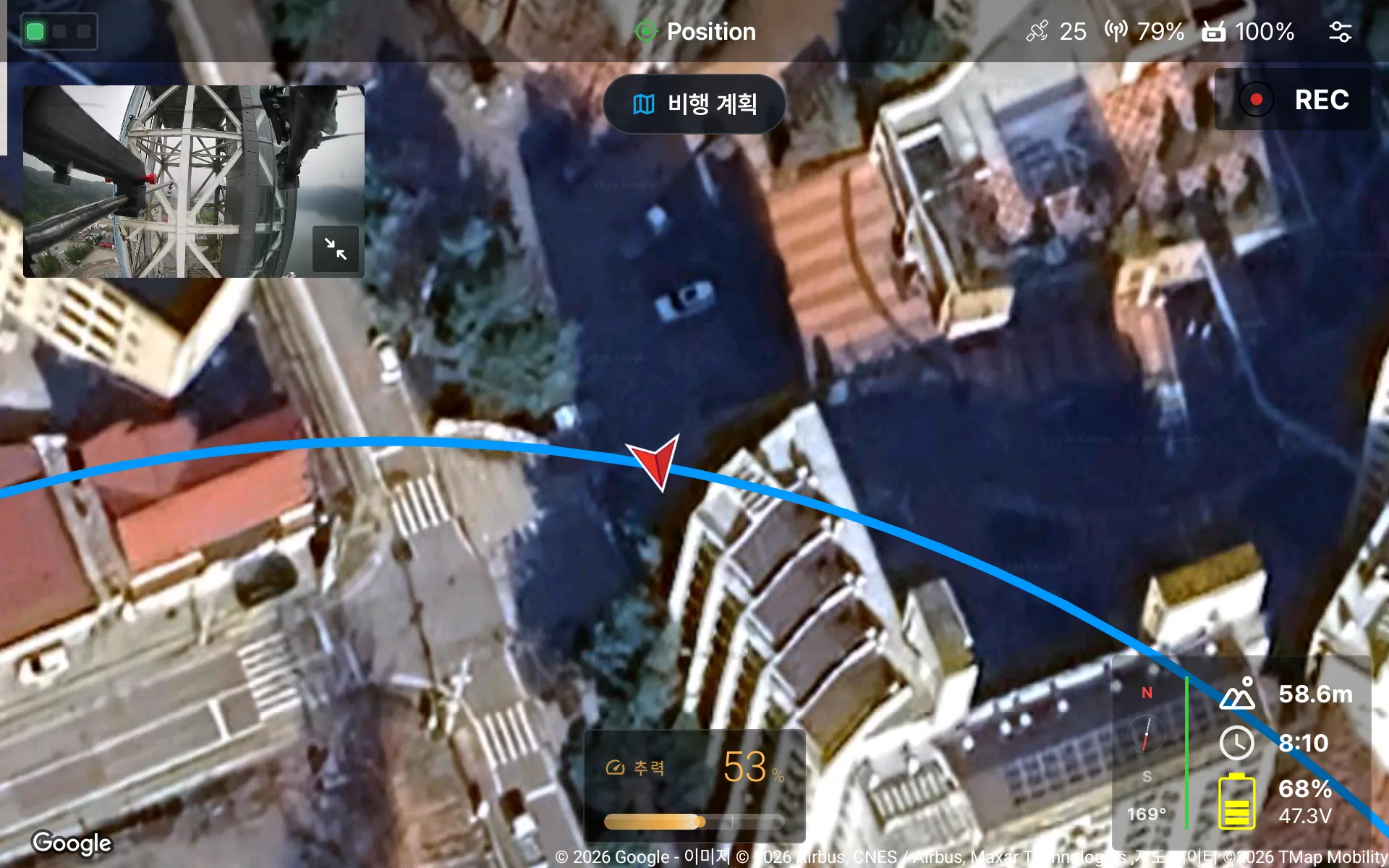
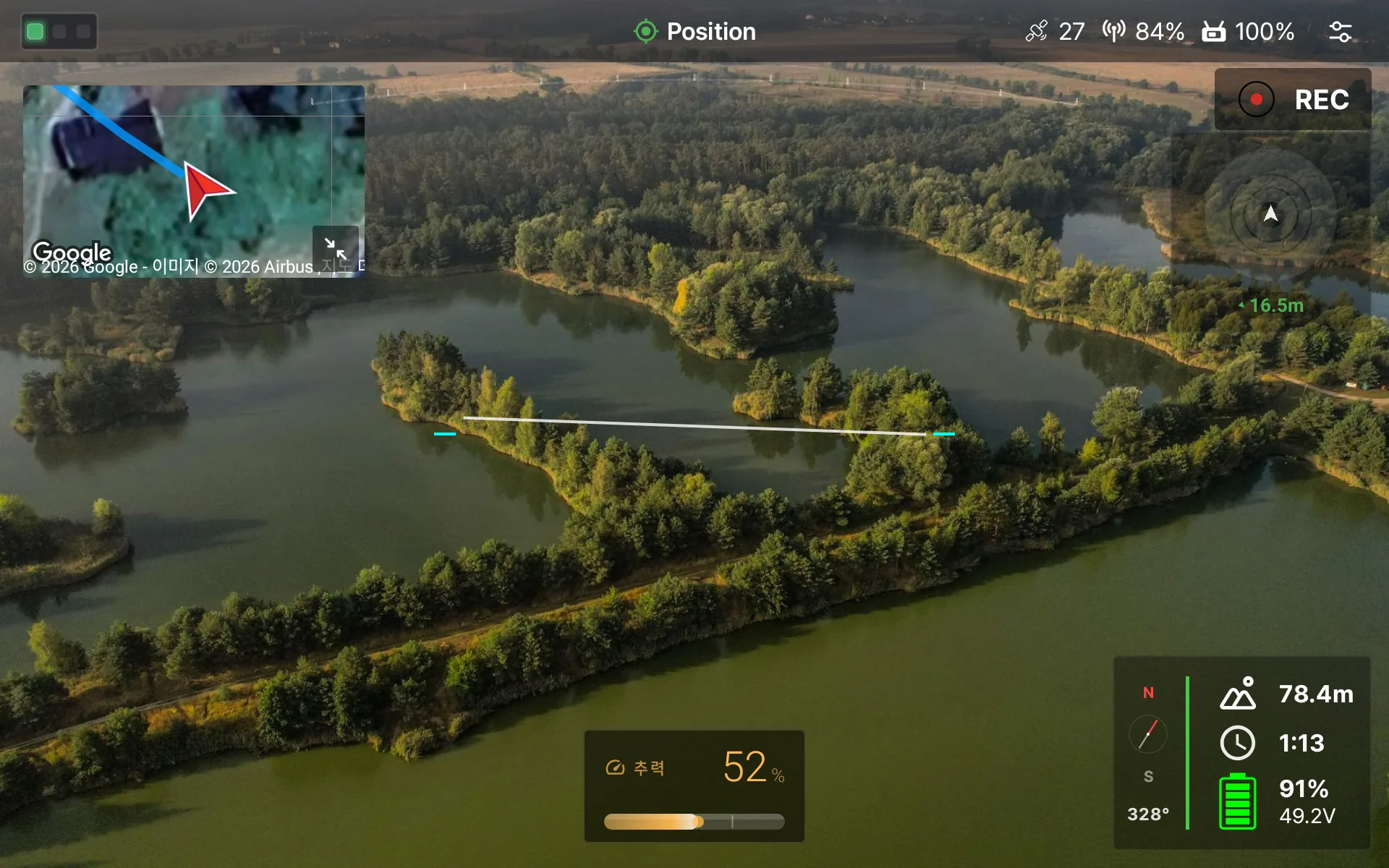
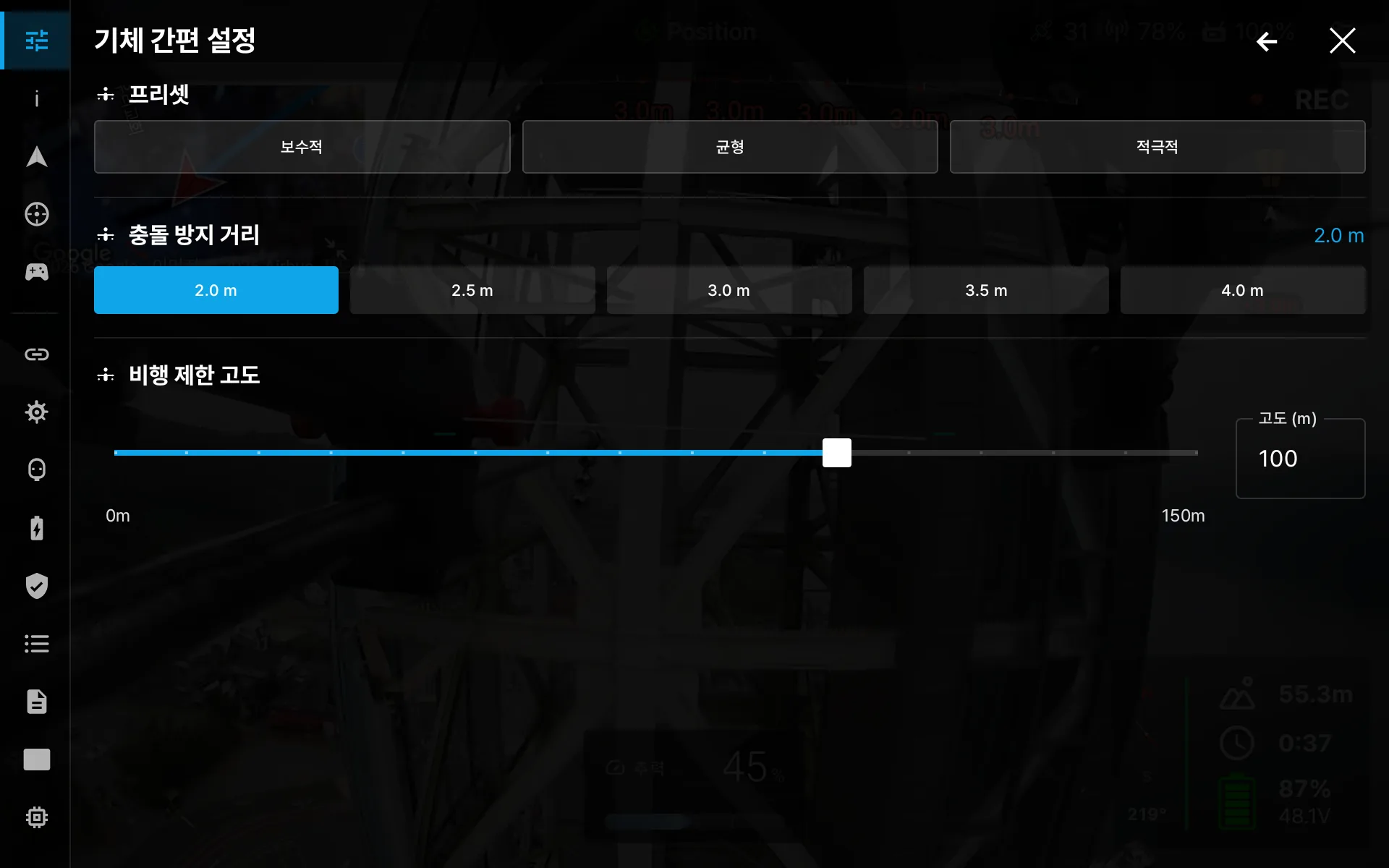
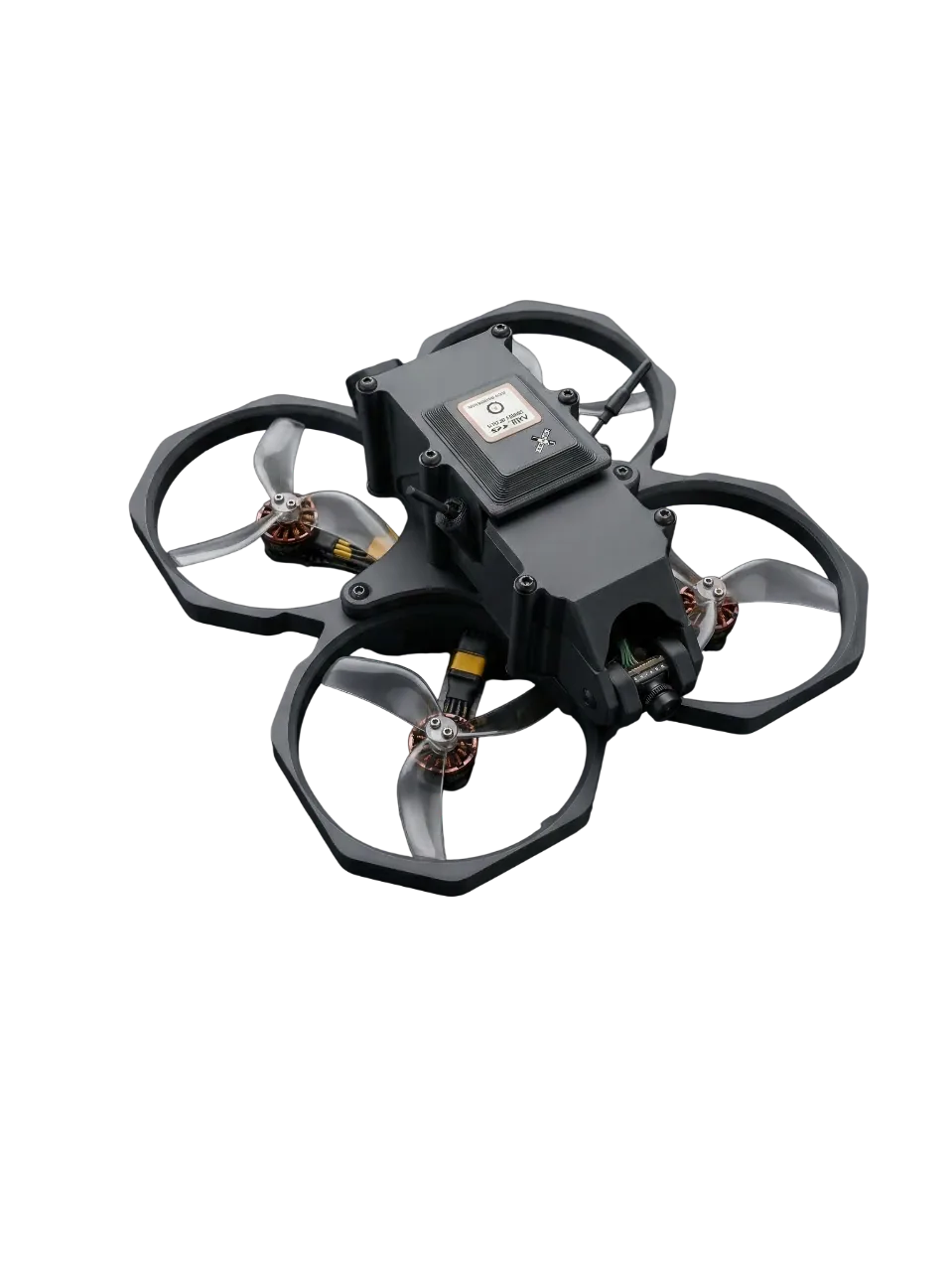
Images are staged and may differ from the actual product.
DRT Q specifications
Aircraft
- Model
- DRT_Q
- Aircraft weight
- 298 g (without battery)
- Size (L×W×H)
- 210 mm × 215 mm × 100 mm (with propeller guards)
- Diagonal
- 170 mm (260 mm with propeller guards)
- Max climb speed
- 7 m/s
- Max flight speed
- approx. 20 m/s (72 km/h, GPS mode)approx. 28 m/s (100 km/h, manual mode)
- Max flight time
- 20 minutes
- Max flight distance
- 2 km
- Flight controller
- In-house firmware based on PX4
- GNSS
- GPS + Galileo + BeiDou
- Sensors
- Optical flow sensor + TOF range sensor (effective altitude 6 m)Accuracy 2 cm (up to 2 m) · 1.5 % (above 2 m), at 90 % reflectivity
Video · Security
- Video system
- OpenIPC based · dual band 5.8 / 2.4 GHz1080p 90fps · 720p 120fps
- Video security
- 1:1 key pairing between aircraft and receiver, encrypted and tamper-checked video link
- Goggle display
- Receiver-rendered OSD (sentences · status colors · dialogs), 7-tab settings menu
- Goggles
- AR goggles (glasses type)
- Ground control software
- DRTView (in-house · Korean · English · Japanese)
Battery
- Battery
- 15.2 V / 3400 mAh / 4.35 LiHV
- Battery weight
- 235 g